Built by a working filmmaker, for working filmmakers. Tango Juliet keeps every project — deadlines, phases, partners, and files — in one place, without learning a bloated enterprise tool. And every byte of it stays on your own Mac.
€25 a year — less than one billable hour. Cancel anytime. macOS (Apple Silicon).
By starting your trial, you agree to our Terms & Conditions and Privacy Policy.
A real look at the interface, with sample data — sort the list or drag a card between phases.
Click a column header to sort.
Drag a card to another column.
Drag a project onto a day — it schedules a work block, defaulting to that project's current phase. Drag a block's edges to resize it. Every block, day, and week can be exported as .ics.
No onboarding calls, no seat licenses, no dashboards you'll never open.
One clear overview of every project you're running — what phase it's in, what's due, who's involved. Nothing to configure before you can use it.
Everything is stored locally on your Mac — no cloud account, no server holding your client data hostage, no subscription you lose access to if you go offline.
Nine focused tools, one app.
Every job, client, and detail in one searchable, sortable overview.
See every delivery date across all your projects at a glance — export to your calendar app.
Drag projects through your own production phases, from lead to archived.
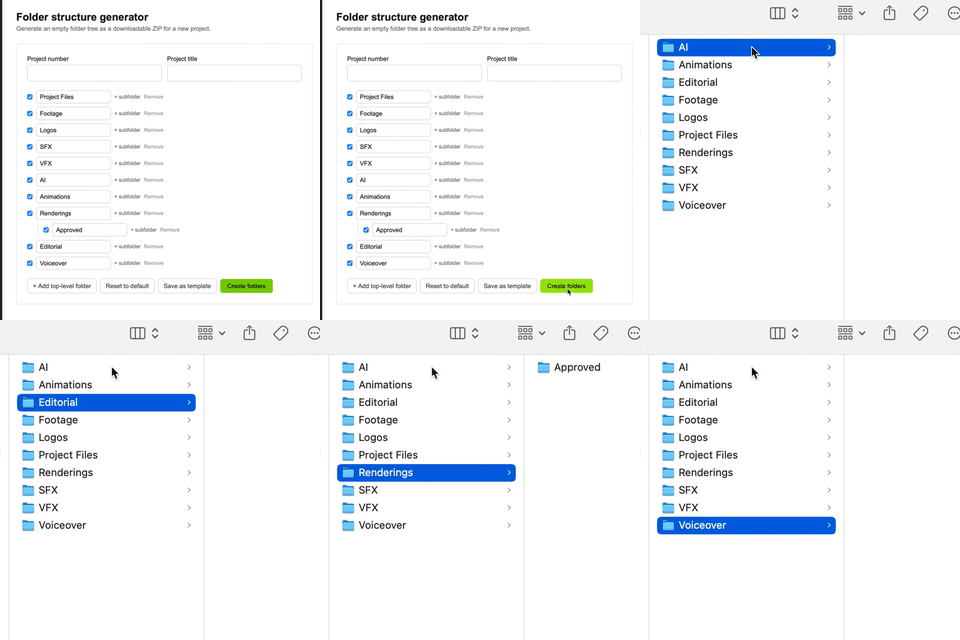
Spin up your standard project folder structure on any drive in one click.
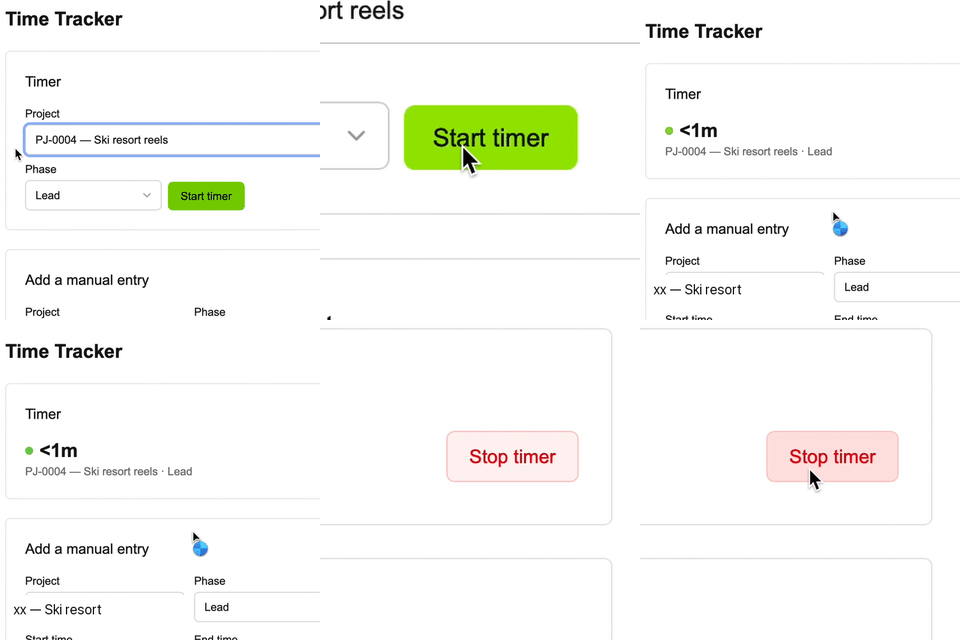
Log hours per project and phase, then export for invoicing — CSV or PDF.
Keep track of every freelancer and vendor you work with, and which projects they're on.
See which external drive holds each project's live files, backup, and archive — plug one in and know instantly what's on it.
Attach a file or link to one on your network — find a quote or calculation in one click, right from the project.
Drag a project onto a day to block out work time, resize it to the exact hours, and see deadlines alongside it. Export any day, block, or your whole week as .ics — compatible with Apple Calendar, Google Calendar, and Outlook.
Every feature, included. It pays for itself the first time it saves you an hour of admin.
then €25/year, billed annually
By starting your trial, you agree to our Terms & Conditions and Privacy Policy.
Freelance filmmakers and small production companies who want a clear overview of their projects without the overhead of a full studio management platform.
Yes — 30 days, full access, no restrictions. A payment method is required to start the trial; you won't be charged until it ends, and you can cancel anytime before then.
macOS on Apple Silicon (M1 and newer). A Windows version isn't currently available.
100% locally on your Mac. There's no cloud sync and no server that sees your project data — we have no access to it at all.
No, there's no automatic cloud backup. Tango Juliet includes a one-click backup/restore feature in Settings — we recommend using it regularly and storing the backup somewhere safe, like an external drive or your own cloud storage.
One license is intended for a single freelancer or a small team of up to two people working from the same installation. There's currently no real-time multi-user sync.
No. After activation, the app works fully offline — it only briefly checks your subscription status online at startup.
Through the customer portal link in your confirmation/receipt email, or by emailing support@tangojulietapp.com. You keep access until the end of your paid period.
It stays on your Mac. You just won't be able to reactivate the app without an active subscription — we still recommend exporting a backup before cancelling.
Yes — all payments are handled by Paddle, our payment provider and merchant of record. We never see or store your card details ourselves.
Email support@tangojulietapp.com and we'll get back to you.
 Tango Juliet